The Recording Mixer
Analog, Digital and Software Mixers.
Which is the Best Audio Mixer?
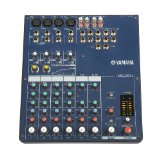
Recording Mixer-Analog, Digital or Software, which is the Best Audio Mixer for a home recording studio?
First, do you really need a mixer? To record from a microphone you need a preamp to boost the signal.
If you have a audio interface that has a microphone preamp, then, you don't need a recording mixer unless you want to record more than one instrument at a time.
If you have a hardware effects processor and want to route the microphone signal threw the processor before recording the sound in the computer, then,you will need a mixer.
What does the mixer do?
The mixer can take two signals and mixes them together. You can also add sound effects to the signal such as:
- Equalization
- Compression
- Reverb
- Chorus
You can pan the sound from left to right with the mixer, all this can be done before the signal is input into the computer for recording.
|
The Three Types of Mixers are:
|
The Three Ways to Connect Mixers are:
|
The Analog Audio Mixer
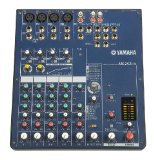
- These let you mix an analog signal without converting it into a digital signal.
- They don't need AD/DA converters.
- There is a small amount of noise with analog mixers.
- They are cheap to buy.
The Digital Audio Mixer
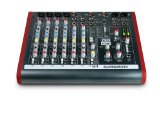
- These can be more expensive then analog mixers.
- They convert the analog signal into digital.
- So they need a AD/DA converter.
- This causes latency.
- It can use software to control the settings of the mixer.
- Harder to learn then analog mixers.
- More flexible routing.
Audio Mixer Software
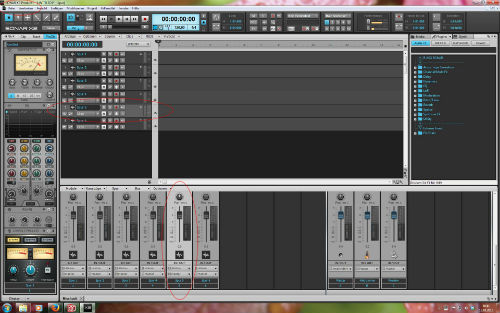
- These are included in the software DAW.
- So you don't need to buy extra equipment.
- These are the least expensive and possibly most flexible.
- The computer keyboard and mouse are used to control the mixer.
- Although you can use a controller interface to control the mixer.
- You can only record one sound signal at a time.
The Three Ways to Connect Mixers are:
Analog Connector
The signal is output threw phono jacks which can be connected directly into the computer or threw a audio interface.
USB Connector
These use a USB connector to connect to the computer. These can be more expensive then Analog connectors.
Firewire
These use firewire to connect to the computer. These can be more expensive then USB.
If you need a recording mixer to record one or more instruments, then, get an analog mixer with analog connectors. This will be the cheapest way and you can get very good results with one of these mixers.
Thanks For Visiting The Recording Mixer
Back to Home Recording Equipment
Return from Recording Mixer back to The Home Recording Studio
The Home Recording Studio
Home
Recording Equipment Post
- Recording Equipment
- The Computer
- Music Sequencers
- Software
- Audio Interface
- Studio Micrphone
- Microphone Preamp
- Recording Mixer
- Signal Processors
- Midi Keyboard
- Audio Amplifier
- Reference Monitor
- Sound Module
- Cables
- Studio Soundproofing
- Gear for Recording Music


